AI recipes · meal planning

Every recipe you've ever saved.
Finally organised.

Share a TikTok, Instagram or YouTube cooking video straight to Aeva — our AI turns it into a clean recipe, ready to cook, collect, and plan into your week.

Step one · The magic moment

Share. Done.

Tap the share button on any cooking video — TikTok, Instagram, YouTube — and pick Aeva. Seconds later it's a clean, readable recipe in your collection. No copy-paste, no rewatching, no scrubbing through ads.

iOS share sheet AI-formatted Ingredients & steps
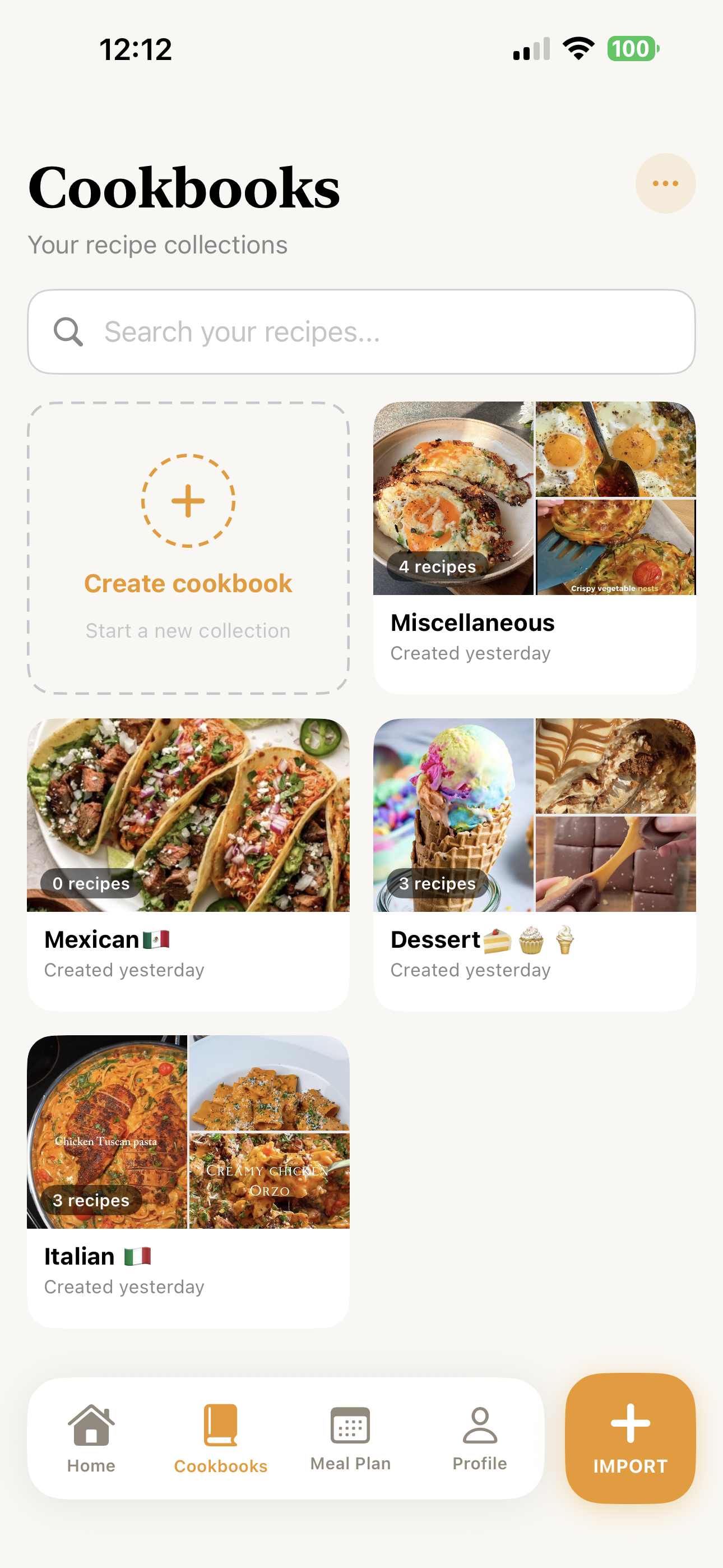
Cookbooks screen
Step two · Organise

Your own cookbooks.
Built your way.

Group saved recipes into custom collections — Favourites, Italian, Wraps, Quick Wins, whatever fits. Aeva keeps every recipe one tap away, beautifully arranged like the cookbooks on your shelf.

Custom collections Organisation Auto-covers
Step three · Plan

Plan the week in under a minute.

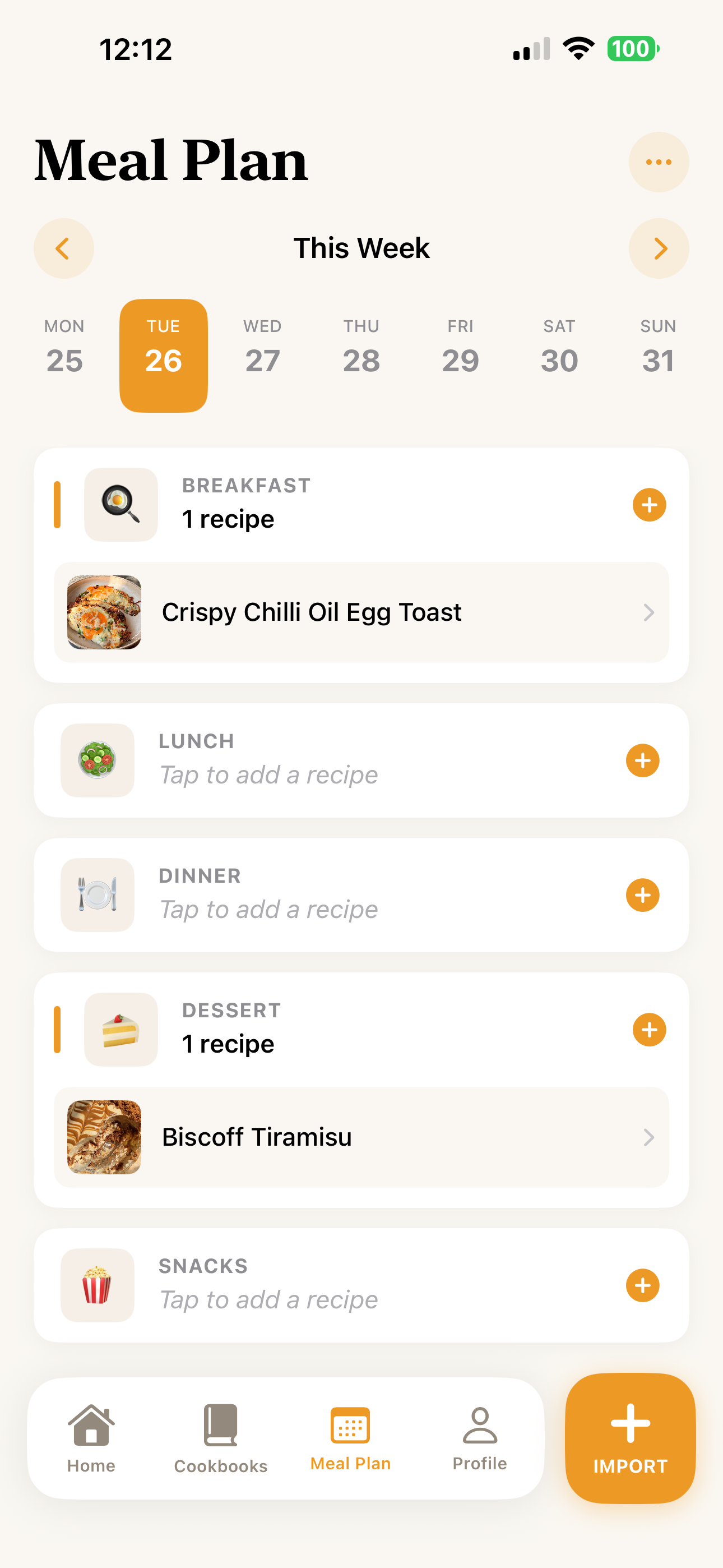
Tap a slot — breakfast, lunch, dinner, dessert, snacks — and drop a recipe in. Aeva lays out your whole week so deciding what's for dinner stops being the hard part.

7-day view 5 meal slots One tap to add
Meal Plan screen
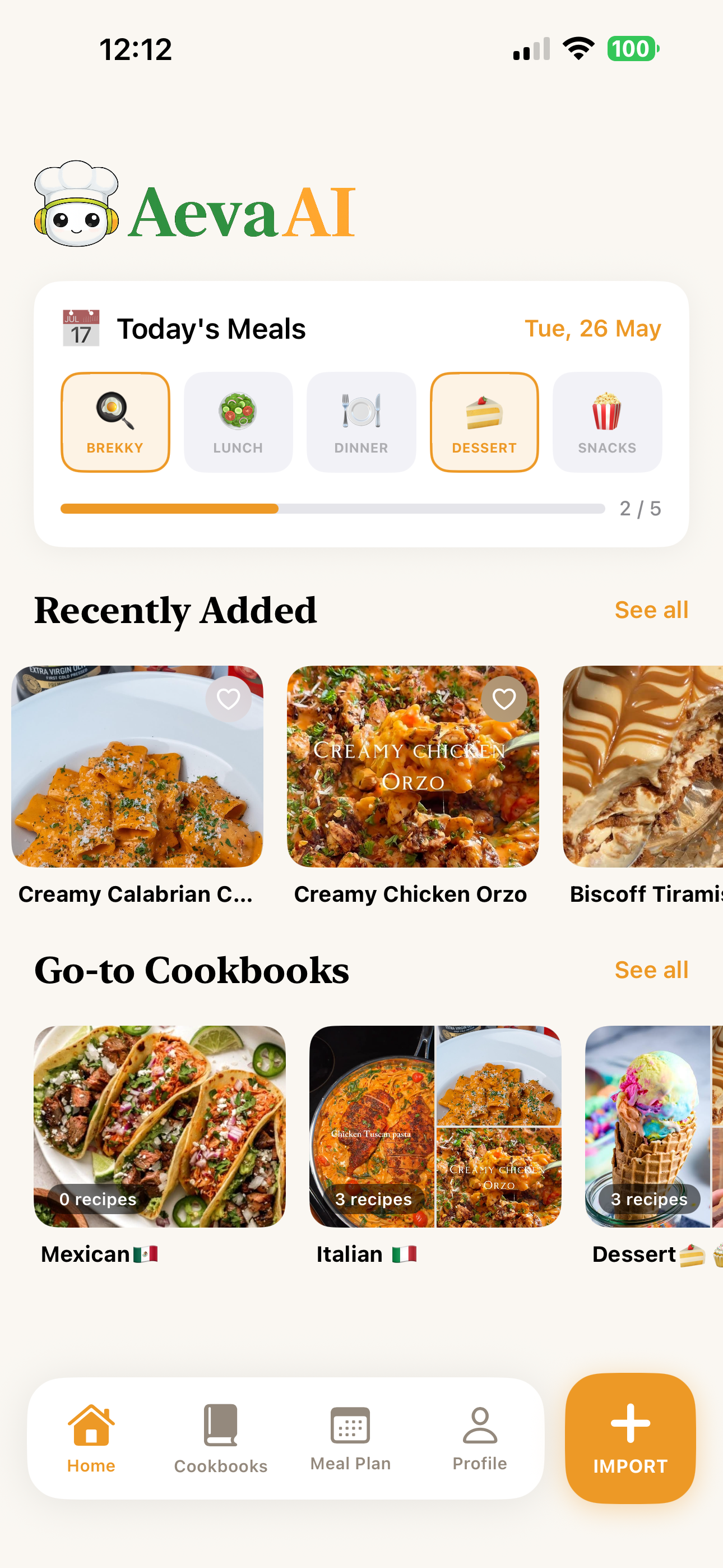
Aeva home screen
Step four · See it all

Everything you cook,
in one place.

Today's meals, your most-cooked cookbooks, and what you just saved — all on the home screen, all the time. No digging, no searching.

Today at a glance Recently added Go-to cookbooks
How it works

Three taps from saved to served.

From a random scroll to a planned week — without losing the recipe in your camera roll.

01

Share a recipe to Aeva

Tap share inside TikTok, Instagram or YouTube and pick Aeva. The video becomes a clean recipe.

02

Drop it in a cookbook

Sort recipes into your own collections. Italian on Wednesdays, treats for the weekend — your call.

03

Plan your week

Slot recipes into breakfast, lunch, dinner, dessert or snacks. Open Aeva, see today, get cooking.

FAQ

Good questions, answered.

Can't find what you're looking for? Drop us a line.

Which apps can I share recipes from?+
TikTok, Instagram and YouTube are the big three.
What is Aeva AI?+
Aeva AI is an AI-powered recipe assistant that helps you save, organise, and plan recipes from anywhere.
Do I need an account?+
An account keeps your recipes synced across devices and safe if you switch phones. You can sign up with Apple, Google, or email in about ten seconds.
Does it work offline?+
Once a recipe is imported, it's yours offline — open, read, and cook even with no signal. Importing a new recipe needs an internet connection for the AI to do its thing.
Can I edit imported recipes?+
Absolutely — every imported recipe is fully editable. Tweak ingredients, change steps, add your own notes, swap the cover photo. Aeva extracts a starting point; you decide what stays.
Get the app

Start your cookbook today.

Save the next recipe you scroll past. Build the cookbook you actually use. Cook on purpose.

Aeva mascot waving goodbye